


Searching for “How to extend Ethernet beyond 100 meters”?
“How to choose the best Ethernet Extender for long distance”
Ethernet Extenders smash past the 100m (328ft) IEEE 802.3 barrier and are ideal for security cameras,
elevators, warehouses and a variety of situations where you need data at distance cost effectively.
Enable-IT’s Ethernet Extender Solutions outperform alternatives as they are secure and hardwired.
Designed and Made in the USA
with AS9100D Aerospace Quality, Pride and actual craftsmanship.
We use secure encryption built in. – Your data deserves better!
| MODEL | OUTPUT PORTS | THROUGHPUT | MAX DISTANCE | MAX WIRE PAIRS | PoE MODEL | ||
|---|---|---|---|---|---|---|---|
| RJ-45 / RJ-11 | 821 | 1 | 100 Mbps | 3,280 ft | 1km | 1-pair (2 wires) | 821P |
| 860X PRO | 1 | 1.2 Gbps | 2,306 ft | 702 m | 2-pair (4 wires) | 865X PRO | |
| 860XS PRO | 2 | 1.2 Gbps | 2,306 ft | 702 m | 2-pair (4 wires) | 865XS PRO | |
| 860 PRO | 4 | 340 Mbps / Gigabit LAN | 9,000 ft / 1.7 Mi | 2.74 km | 1-pair (2 wires) | ||
| COAX | 821C | 1 | 100 Mbps | 3,280 ft | 1 km | 75 Ohm Coax BNC | 821CP |
| 860XC PRO | 1 | 1.5 Gbps | 3,280 ft | 1 km | 75 Ohm Coax BNC | 865XC PRO | |
| 860XSC PRO | 4 | 1.5 Gbps | 3,280 ft | 1 km | 75 Ohm Coax BNC | 865XSC PRO | |
| OUTDOOR | 821W | 1 | 100 Mbps | 3,280 ft | 1 km | 1-pair (2 wires) | 821WP |
| 821WC (coax) | 1 | 100 Mbps | 3,280 ft | 1 km | 75 Ohm Coax BNC | 821WCP | |
| YOUR ELECTRICAL TETHER | |||||||
| Custom OEM | 1 ~ 4 | 50 Mbps ~ 100 Mbps | 9,000 ft / 1.7 Mi | 2.74 km | 1-pair (2 wires) | Optional | |
| 860GV | 1 ~ 4 | 1.2 Gbps | 2,306 ft | 702 m | 1-pair (2 wires) | ||
| 860GVC Coax | 1 ~ 4 | 1.5 Gbps | 3,280 ft | 1 km | 75 Ohm Coax BNC | ||
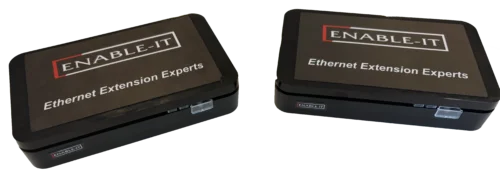
1-Pair wiring Gigabit Ethernet Cable Extender Solutions Up To 9,000ft/ 2.74km. 27 Times Further Than IEEE 802.3 Specifications
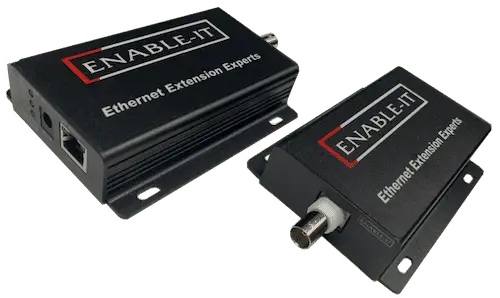
Gigabit Ethernet over Coax Solutions. Encrypted and Secure Communications up to 3,000ft / 915m
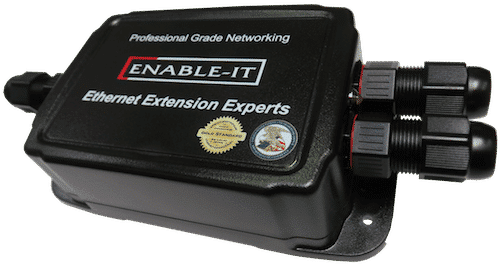
IP68 NEMA 6P Waterproof up to 3,000ft / 915m
Ideal for rugged, outdoor or extreme conditions
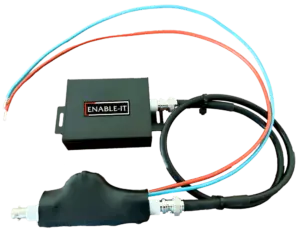
Leverage your existing 24V DC up to 900V DC Power Tether injected with Gigabit Ethernet throughput.
Only Enable-IT builds this unique solution Encrypted and Secure Communications up to 3,000ft / 915m on Coax Tether
Leverage your existing 24V DC up to 900V DC Power Tether injected with Gigabit Ethernet throughput.
Only Enable-IT builds this unique solution Encrypted and Secure Communications up to 3,000ft / 915m
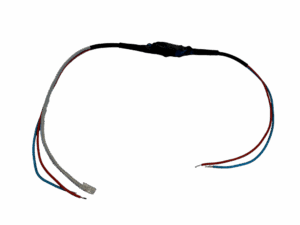

Any Size – Any Shape – Any Power Source
Designed and Made in our AS9100D Aerospace Manufacturing Facility
Utility grade Ethernet Extenders – Encrypted and Secure Communications up to 2,306ft / 702m
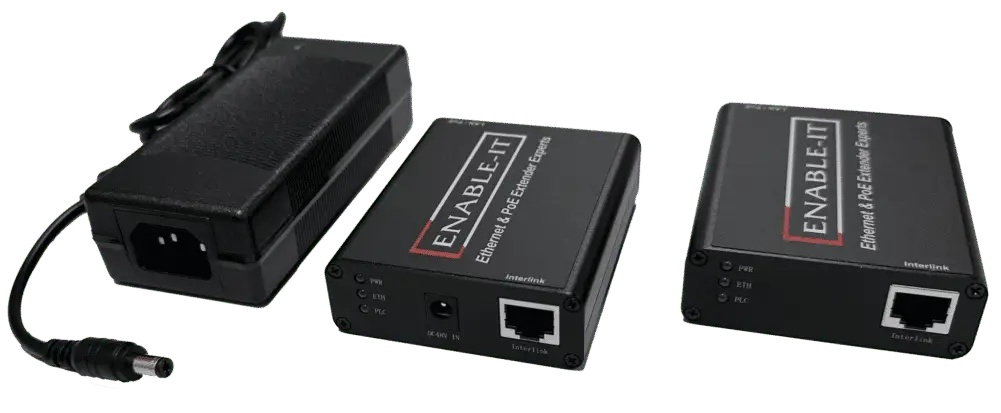
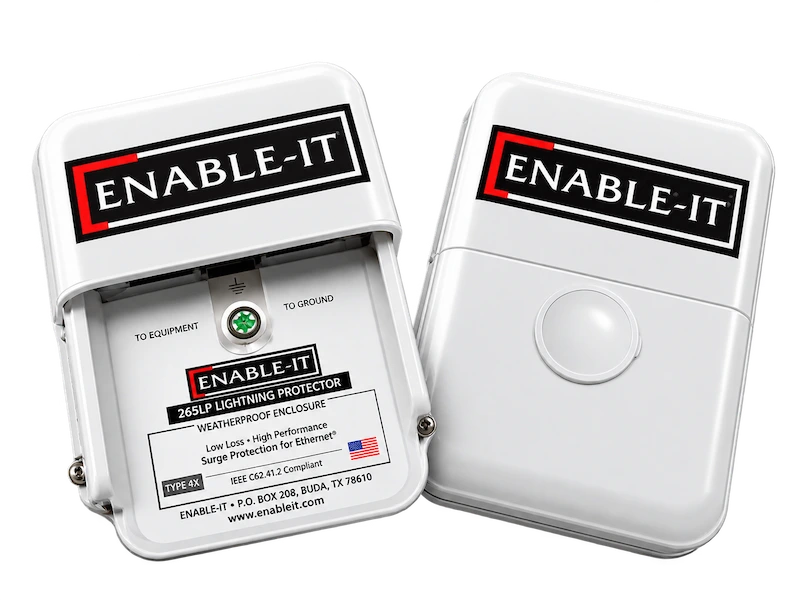
Protect your Investment – Complete Solution end to end for your outdoor Ethernet or PoE Extender wiring.
Don’t get caught by surprise lightning storms – The planet’s axis tilt and earth changing flip is accelerating and all previous known weather norms are out the window.
An Ethernet Extender is a hardwired networking device that pushes standard Ethernet signals far beyond the 100-meter (328-foot) distance limit imposed by the IEEE 802.3 standard. Where a conventional Cat5e or Cat6 run must terminate at a switch or patch panel within 100 meters, an Ethernet Extender bridges that gap — reaching distances of up to 4,000 feet (1.2 km) over a single twisted pair, existing telephone wire, or legacy coaxial cable.
The device operates in pairs: a local unit connects to your switch or router; a remote unit at the far end provides one or more standard RJ-45 ports for your endpoint devices. No new fiber runs. No wireless spectrum to manage. No additional licensing. The link is transparent to the network — connected devices see a standard Ethernet port and behave accordingly.
Enable-IT invented the Ethernet Extender concept in 1999 and has refined the technology through more than two decades of real-world deployments across military networks, U.S. Government infrastructure, space exploration platforms (including the International Space Station), and commercial applications across 20+ industries. Every unit is designed and manufactured in the United States to AS9100D Aerospace Quality standards.
Enable-IT Ethernet Extenders use DSL-derived signal encoding — the same family of technology that carries broadband signals over telephone copper — to modulate Ethernet traffic onto a single wire pair. The local and remote units negotiate link parameters automatically on power-up (no manual configuration required), establish a full-duplex session, and pass standard Ethernet frames transparently. From the perspective of connected switches and devices, the extender link behaves like any other Ethernet segment.
Key operating characteristics:
The table below summarizes the current Enable-IT Ethernet Extender lineup. All models support standard RJ-45 connections and require no additional software, drivers, or configuration utilities.
|
Model |
Ports |
Throughput |
Max Distance |
Wire Pairs |
Best For |
|
821 |
1 RJ-45 |
100 Mbps |
3,280 ft (1 km) |
1-pair (2 wires) |
IP cameras, access control, standard LAN |
|
860X PRO |
1 RJ-45 |
1.2 Gbps |
2,296 ft (700m) |
2-pair (2 wires) |
High-bandwidth video, HD PTZ cameras |
|
860XS PRO |
2 RJ-45 |
1.2 Gbps |
2,296 ft (700 m) |
2-pair (2 wires) |
Multi-device drops at remote locations |
|
860 PRO |
4 RJ-45 |
340 Mbps |
1.83 Miles (2.9 km) |
1-pair (2 wires) |
Multi-port Gigabit at distance |
Wire compatibility at a glance
When a network run exceeds 100 meters, engineers and integrators typically evaluate four to five alternative approaches. The comparison below covers the most common options across the factors that matter most in B2B infrastructure decisions: distance, bandwidth, reuse of existing cabling, installation cost, and security posture. Category 5 cable speed details.
Solution | Max Distance | Bandwidth | Uses Existing Wire | Relative Cost | Security |
Ethernet Extender (Enable-IT) | Up to 9,000 ft (2.9 km) | Up to 1.2 Gbps | Yes – Cat, coax, or single pair | Low | Hardwired / Encrypted |
Fiber Optic | Up to 40 km | 10+ Gbps | No – new fiber required | High (install + media) | High – no RFI |
Wireless / Wi-Fi Bridge | Up to ~1,000 ft LOS | Variable (200–1,000 Mbps) | N/A – RF only | Medium | Moderate – RF exposure |
MoCA Adapter | Up to 300 ft per node | Up to 2.5 Gbps | Yes – coax only | Medium | Moderate |
Media Converter | Varies (fiber required) | 1–10 Gbps | No | High | High |
Fiber optic cabling offers superior distance and bandwidth — but at a significantly higher total cost of ownership once conduit trenching, fiber splicing, media converters at both ends, and long-term maintenance are factored in. Ethernet Extenders are the preferred choice when:
When to choose an Ethernet Extender over wireless
Wireless bridges appear cost-effective until RF interference, line-of-sight obstructions, latency jitter, and security vulnerabilities are accounted for. Hardwired Ethernet Extenders are the correct choice when:
Enable-IT Ethernet Extenders are deployed across more than 20 industries. The most frequently encountered use cases include:
Q: How far can an Enable-IT Ethernet Extender reach?
Enable-IT Ethernet Extenders support distances up to 4,000 feet (approximately 1.2 kilometers) on a single continuous wire pair, with no intermediate repeaters required. Achievable distance depends on the cable gauge, quality of the existing wire, and any connectors or splices in the run. Enable-IT’s engineering team can assess your specific installation — contact us for a pre-deployment consultation.
Q: What type of cable does an Ethernet Extender use?
Enable-IT Ethernet Extenders operate over a single twisted pair, which means they are compatible with existing Cat3 telephone wire, Cat5, Cat5e, and Cat6 Ethernet cable. This is the primary cost advantage over fiber: in most commercial and institutional buildings, usable copper infrastructure is already installed and can be repurposed without opening walls or running conduit.
Q: Will an Ethernet Extender work with my existing PoE switch?
Yes. The local unit connects to any standard IEEE 802.3 switch port — PoE or non-PoE. If your application requires Power over Ethernet at the remote end (for IP cameras, access control readers, or wireless access points), select a PoE-capable model such as the 821P or 865X PRO. These models pass PoE power over the same wire pair carrying data, eliminating the need for a local power source at the remote device.
Q: Is an Ethernet Extender secure? Can the signal be intercepted?
Enable-IT Ethernet Extenders use a hardwired physical medium, which eliminates the RF interception risk inherent in wireless links. Select models include built-in AES encryption for additional protection of data in transit over the copper run. Because the signal travels over a physical conductor rather than through the air, it cannot be passively intercepted without physical access to the cable — a significant security advantage in government, military, healthcare, and financial deployments.
Q: Do Ethernet Extenders require configuration or special software?
No. Enable-IT Ethernet Extenders are plug-and-play devices. The local and remote units auto-negotiate link parameters on power-up and require no IP addressing, driver installation, or management software. They operate transparently to the network — VLANs, QoS tagging, and jumbo frames pass through without modification. This makes them straightforward for IT staff to deploy and troubleshoot without specialized training.
Enable-IT’s engineering team has been solving long-distance Ethernet problems since 1999. Call (888) 309-0910 Monday–Friday, 7AM–4PM PST, or use the live chat on this page. We will match you to the right model for your cable type, distance, bandwidth requirement, and power budget — at no charge.
We Are More Than Happy to Listen To Your Specific Project Needs.
Enable-IT Guarantees Your e-Mail Privacy 100%
Your Information Is Never Shared Or Sold.